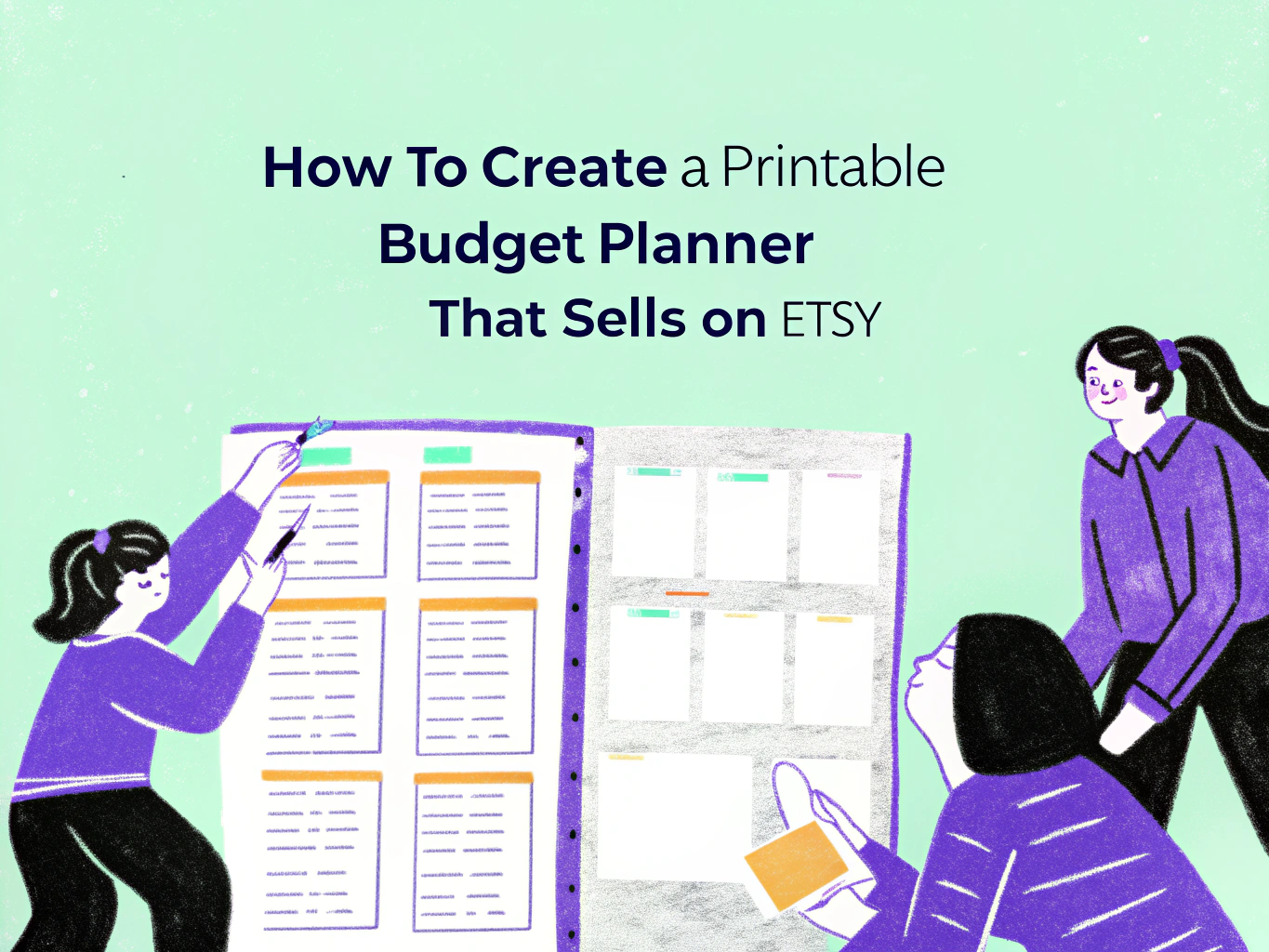
How to Create a Printable Budget Planner That Sells on Etsy
Budget planners are one of the most consistent sellers in the entire Etsy printables market. People search for them year-round, not just in January. Every new paycheck cycle, every debt payoff journey, every person trying to get their spending under control is a potential buyer. The demand is steady, the niche is proven, and a well-built budget planner can sell thousands of times from a single listing.
But browsing the top sellers on Etsy right now makes one thing clear — the budget planners generating real income are not simple one-page trackers. They are complete financial management systems with 15 to 130 pages covering every aspect of a buyer’s money life. If you want to compete, you need to understand what buyers are actually purchasing and build something that matches that standard.
This guide covers the entire process from deciding what to include to getting your first sale.
What the Top-Selling Budget Planners on Etsy Actually Include
Before you open Canva, spend 30 minutes browsing the actual top-selling budget planner listings on Etsy. Look at the ones with hundreds or thousands of reviews and read exactly what they include. The pattern that emerges from the bestsellers right now is very consistent.
Looking at the listings actually selling in 2026, the pages buyers respond to most include an undated monthly calendar, a monthly budget worksheet with sections for bills, cash envelopes, sinking funds, and savings, a weekly or biweekly budget worksheet for paycheck-to-paycheck budgeting, a cash stuffing tracker showing how to break savings into specific denominations, an expense tracker by category, a bills tracker for monitoring recurring monthly payments, a debt tracker or debt snowball worksheet, a sinking funds tracker for irregular future expenses like car maintenance or holidays, savings challenge sheets like 52-week or 26-week savings plans, a no-spend challenge tracker, and a yearly financial overview page.
The listings generating the most consistent sales are not minimalist one-page downloads. One bestselling listing with hundreds of five-star reviews includes 19 pages specifically designed around the cash envelope budgeting system. Another top seller includes 134 pages covering 13 paycheck periods for weekly, biweekly, and monthly earners. The buyers leaving reviews consistently mention that they love having everything in one place and that the planner actually helped them take action on their finances.
That emotional component matters. Budget planners are not just organizational tools. They are products people buy at a moment of financial motivation or financial stress. Your planner needs to feel like a complete, supportive system — not a collection of generic spreadsheet pages.
Step 1: Decide on Your Angle and Buyer
The broad budget planner category has strong competition but specific angles within it have much thinner competition and clearer buyer intent.
The cash envelope or cash stuffing system is one of the most searched budgeting methods right now, driven by a large community on TikTok and YouTube who film their cash stuffing routines. Budget planners specifically designed around this system with cash allocation pages, denomination breakdown sheets, and category envelope trackers sell consistently to a very motivated buyer.
Biweekly budget planners for people paid every two weeks are another underserved format. Most generic budget planners are built around monthly cycles but a large portion of workers are paid biweekly and need pages that align with their actual paycheck schedule.
Debt payoff focused planners targeting people actively working through the debt snowball or debt avalanche method attract buyers with a specific and urgent goal. These planners feel mission-driven rather than generic.
Student budget planners, single-income household planners, and planners specifically designed for irregular freelance income are all niches with real search demand and fewer dedicated competitors than the general budget planner category.
Step 2: Set Up Canva Correctly
Open Canva and create a new design with custom dimensions. For a printable budget planner, the correct size is 8.5 x 11 inches for US Letter or 210 x 297mm for A4. Most top Etsy sellers offer both sizes in the same listing, which is a detail worth noting because it removes a reason for international buyers to choose a competitor.
Search for planner or worksheet templates within Canva to find layouts with the right structural foundation. You want templates that have clear grid lines, table structures, and consistent margins rather than decorative poster-style designs.
Before designing any individual page, set up your design system. Choose your full color palette — typically a base neutral, one or two accent colors, and a dark tone for text. Choose your font pairing — one slightly decorative font for headings and one very clean font for body text, labels, and table content. Save these choices and apply them identically across every page you create. A planner that looks like different sections were designed on different days does not feel like a premium product.
One important legal note about Canva and selling printables. You cannot take a Canva premade template and sell it as your own without meaningful customization. You need to create original designs using Canva as a tool. Additionally, some Canva elements require specific licensing for resale. If you are ever uncertain about a particular element, use Canva’s free library elements which are covered for commercial use, and review Canva’s current licensing policy directly.
Step 3: Design Your Core Pages
Build your pages in a logical order starting with the pages your buyer will use most frequently. Here is the practical design approach for each core page type.
Monthly Budget Overview Page
This is the anchor page of your planner and the one most buyers use first. It needs a clear income section at the top, expense categories below organized into fixed expenses and variable expenses, a section for sinking fund contributions, a savings line, and a balance summary at the bottom. Keep the layout structured with enough row space for someone to write comfortably by hand.
Use light gray lines for rows and borders rather than heavy black lines. Light gray reads as clean and modern on screen and prints crisply without using excessive ink, which buyers appreciate.
Weekly and Biweekly Budget Worksheets
Design these to align with actual paycheck timing. A biweekly worksheet should have two columns for the two paychecks in the period with individual spending categories in rows. Include a rolling total section so buyers can track spending against their allocated budget in real time.
Cash Envelope and Cash Stuffing Pages
Given how active the cash stuffing community is in 2026, including pages specifically designed for this system is one of the strongest differentiators your planner can have. A cash allocation sheet that shows the total budget amount and breaks it down into specific denominations — how many hundreds, fifties, twenties, tens, fives, and ones to withdraw — is genuinely useful and something buyers mention specifically in positive reviews.
Sinking Funds Tracker
Sinking funds are one of the most searched budgeting terms right now and dedicated sinking funds pages are a consistent positive mention in top-seller reviews. Design a tracker that lists the sinking fund category, the target amount, the monthly contribution, and a progress bar or fill-in visual to show progress toward the goal.
Savings Challenge Sheets
52-week savings challenges, 26-week challenges, and quarterly savings challenges are all proven sellers either as standalone products or as included pages in a larger planner. Design these with a simple visual layout where buyers check off or fill in each completed week.
Debt Tracker
A debt snowball or debt avalanche worksheet listing debt name, total balance, minimum payment, interest rate, and a payoff tracking section is a high-value addition that makes your planner feel comprehensive. Buyers who are motivated enough to track their debt are exactly the kind of engaged buyer who leaves positive reviews and recommends your shop.
Step 4: Handle Etsy’s File Size Limit
This is a practical detail that many beginner guides skip entirely and it causes real problems for sellers who discover it after they have already designed their planner.
Etsy has a 20MB file size limit for digital downloads. A planner with 50 or more pages exported as a high-quality PDF can easily exceed this limit, particularly if it contains many design elements or images.
The solution that top sellers use is to upload the planner to Google Drive or Dropbox and then create a simple one-page PDF that contains a thank you message and a clickable download link pointing to the cloud-hosted file. This one-page PDF is what you upload to your Etsy listing as the digital download. Buyers receive it instantly after purchase, click the link, and download the full planner from the cloud storage.
This approach also means you can update your planner file without having to republish your Etsy listing. You simply replace the file in your Google Drive folder and the link buyers receive continues to work with the updated version.
Step 5: Export Correctly and Test Everything
When your planner is finished, export it from Canva as PDF Print rather than PDF Standard. PDF Print produces higher resolution output at 300 DPI which is important for a product that buyers will physically print at home. A planner that prints with blurry text or pixelated lines generates negative reviews regardless of how good the design looks on screen.
After exporting, print a few pages yourself on a standard home printer. Check that lines are crisp, text is readable at the size it will actually be used, and the margins provide enough space for comfortable handwriting. This physical print test catches issues that screen previews miss.
If you are designing for both US Letter and A4, export separate PDF files for each size and test both. Scaling a US Letter PDF to print on A4 paper without a dedicated A4 version creates misaligned margins and cut-off elements that buyers notice immediately.
Step 6: Create Mockup Images That Sell the Planner
Your mockup images are what converts a browser into a buyer. Buyers cannot open your PDF before purchasing so your images are the entire product experience before the sale.
Use Canva to create lifestyle mockup images showing your planner pages printed and styled on a desk. Show individual pages clearly — the monthly overview, the cash stuffing tracker, the debt payoff sheet. Show the full page count in one image so buyers immediately understand the scope of what they are purchasing. The top sellers on Etsy use 8 to 10 listing images per product and each image serves a specific purpose in the buyer’s decision process.
One image showing the planner filled in with sample data rather than blank is particularly effective. It helps buyers visualize using the product and makes the functionality of each page immediately clear.
Step 7: Price and List Your Planner
For a comprehensive budget planner with 15 or more pages including the core tracking types described above, a price of $5 to $12 is competitive with what top sellers charge for similar products. If you include both US Letter and A4 sizes, dated and undated versions, and bonus pages like savings challenges and cash stuffing trackers, pricing in the $8 to $15 range is well supported by what buyers are already paying.
Your Etsy listing title should lead with the most specific keyword phrase your buyer would search for. Something like “Printable Budget Planner Cash Envelope System Biweekly Paycheck Budget Undated PDF Instant Download” covers multiple real search terms your specific buyer would use.
In your description, open by speaking to the motivation behind the purchase. Someone buying a budget planner is trying to take control of their finances, pay off debt, build savings, or stop the anxiety of not knowing where their money goes. Speak to that directly before listing the features. Then list every page included with enough detail that buyers feel fully informed about what they are getting.
Use all 13 Etsy tags and mix broad terms like “printable budget planner” and “budget worksheet” with specific phrases like “cash stuffing planner,” “biweekly budget printable,” “debt snowball tracker,” and “sinking funds worksheet.”
Frequently Asked Questions
Should I make my budget planner dated or undated?
Undated planners almost always outsell dated versions because they have no expiration date and can be sold year-round indefinitely. A dated planner sold in March is already three months into the year and feels less useful to buyers. Offering both versions in the same listing is the approach most top sellers use and it removes the choice from the buyer’s mind entirely.
What is the best paper size to design for?
US Letter at 8.5 x 11 inches is the standard for North American buyers. A4 at 210 x 297mm covers the UK, Europe, Australia, and most of the rest of the world. Offering both in the same download significantly expands your potential buyer base and is a detail that top sellers consistently include that beginners often skip.
Can I include formulas or calculations in a printable budget planner?
A printable PDF budget planner is designed for handwriting rather than digital calculations. If you want to create a version with automatic formulas, build it in Google Sheets or Excel instead and sell that as a separate listing or as a bonus addition to your printable version. Many top sellers offer both a printable PDF and a spreadsheet version together in the same listing as a way to increase perceived value.
How do I handle it if a buyer says the PDF does not print correctly on their printer?
Include a short note in your delivery PDF explaining that print settings vary by printer and recommending buyers select “Fit to Page” in their print settings if margins appear cut off. Instructing buyers to print a single test page before printing the full planner is also a practical suggestion that reduces complaints and shows a level of care that buyers appreciate.
Final Thoughts
The budget planner market on Etsy rewards completeness, specificity, and genuine usefulness above almost everything else. The listings with thousands of reviews are not there because of better graphic design. They are there because they built a product that felt like a complete solution for a person at a specific moment in their financial life and presented it clearly enough that the right buyer recognized it immediately.
Design something you would genuinely use yourself. Make it complete enough that a buyer feels like they have everything they need in one download. Test it on a real printer before listing it. Price it confidently. Then show up consistently to market it to the specific person it was built for.
That is the formula the top sellers are already using and it is completely available to you starting today.

- 21+ Print on Demand Ideas for Beginners - March 29, 2026
- 18+ AI Affiliate Marketing Ideas - March 27, 2026
- 29+ Passive Faceless Income Ideas - March 27, 2026